
The Short Answer: Which Drive Should You Buy?
If you want the quick verdict before diving into the technical details, here is the bottom line for building a PC in 2026.
You should choose an SSD for your primary drive.
Solid State Drives offer significantly faster boot times, quicker application loading, and better durability than Hard Disk Drives. The performance difference is noticeable in daily use. While SSD prices have seen some increases recently due to market demand, the performance benefit is worth the cost.
When does an HDD make sense?
Only consider a Hard Disk Drive if you need massive storage capacity above 2TB for media files or backups and are on a strict budget. For your operating system and games, an SSD is the mandatory standard.
Introduction: Why Storage Matters
Building a computer in 2026 is an exciting process. You choose the processor. You pick the graphics card. But one component often gets overlooked until the last minute. That component is storage.
Your storage drive holds your operating system, games, and files. It dictates how fast your computer wakes up and how quickly your applications load. For years, the Hard Disk Drive (HDD) was the standard. Today, the Solid State Drive (SSD) has taken the crown.
In this guide, we will explore how these drives work. We will compare their performance. We will also discuss the current market trends regarding pricing. By the end, you will know exactly what to put in your next rig.
How a Hard Disk Drive (HDD) Works
The HDD is a legacy technology that has been around for decades. It relies on magnetism and moving parts to store data.
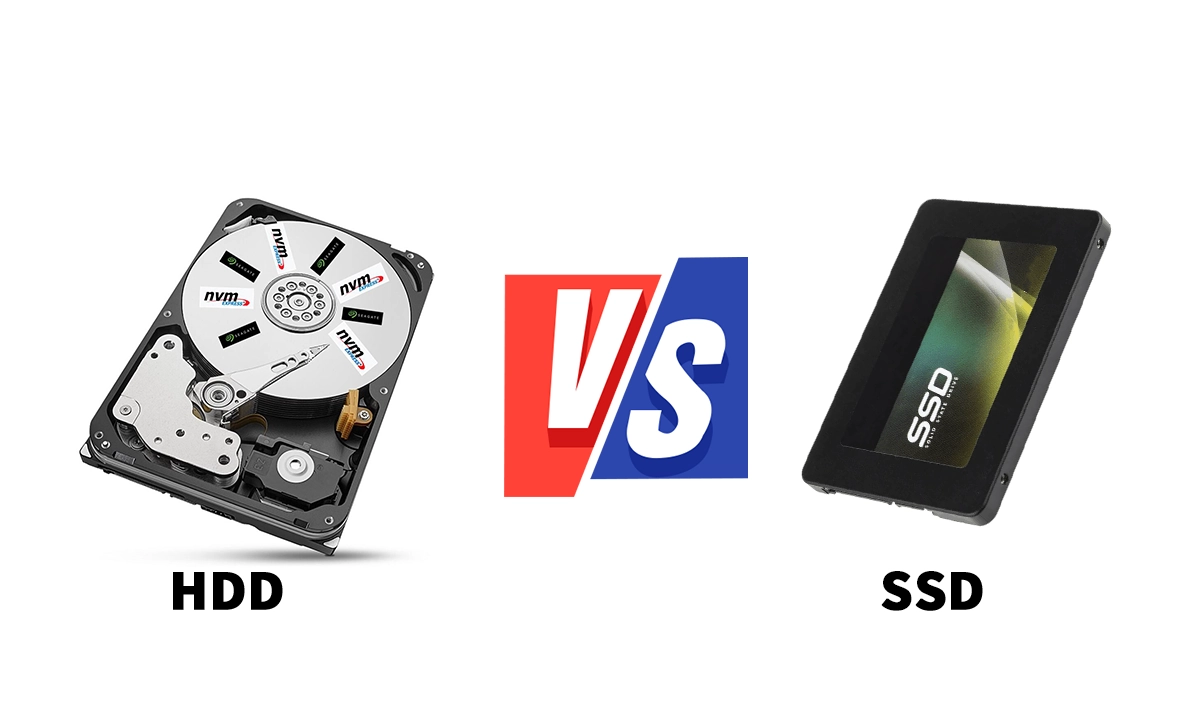
Inside an HDD, you will find circular platters coated with magnetic material. These platters spin at high speeds, typically 5400 or 7200 RPM. A mechanical arm with a read/write head moves across the platters to access data.
Think of it like a record player. The needle must physically move to the right spot on the vinyl to play the song. This mechanical process creates latency. It limits how fast data can be retrieved.
Key Characteristics of HDDs:
- Mechanical Parts: Moving arms and spinning disks.
- Magnetic Storage: Data is stored magnetically on platters.
- High Capacity: You can find drives up to 20TB or more easily.
- Lower Cost per GB: Generally cheaper for bulk storage.
How a Solid State Drive (SSD) Works
The SSD is the modern standard. It uses flash memory to store data. There are no moving parts inside an SSD.
Data is stored on microchips called NAND flash. A controller manages the flow of data between these chips and your computer. Because there is no physical movement required to find data, access is nearly instant.
Think of it like a USB stick, but much faster and more reliable. Electricity moves data instead of mechanical arms. This fundamental difference changes everything about performance.
Key Characteristics of SSDs:
- No Moving Parts: Completely silent operation.
- Flash Memory: Data stored on integrated circuits.
- High Speed: Read and write speeds are multiples faster than HDDs.
- Durability: Resistant to physical shock and drops.
SSD vs HDD: The Performance Gap
When you compare these two technologies, the SSD wins in almost every category that affects daily user experience.
Boot Times and Load Speeds
An HDD might take 30 to 60 seconds to boot Windows. An NVMe SSD can do it in under 10 seconds. Games that take minutes to load on a hard drive can load in seconds on a solid state drive. Industry testing from sources like Tom’s Hardware consistently shows SSDs offering 5 to 10 times the throughput of traditional hard drives.
Durability and Reliability
Because HDDs have moving parts, they are fragile. If you drop a laptop with an HDD, the head might crash into the platter. This causes data loss. SSDs have no moving parts. They can withstand bumps and vibrations much better. This makes them essential for laptops and portable devices.
Noise and Power
HDDs spin and click. You can hear them working. They also consume more power to spin the motors. SSDs are silent. They also draw less power, which helps extend battery life on laptops.
The Cost Factor: Market Trends in 2026
For a long time, the advice was simple. Buy an SSD for your OS and an HDD for your files. SSDs were expensive. HDDs were cheap. However, the market landscape in 2026 looks different.
While SSDs are more affordable than ever compared to the early 2020s, recent trends show prices climbing. According to market analysts like TrendForce, NAND flash prices have seen upward pressure throughout 2025 and into 2026.
Why are SSD costs rising?
- AI Demand: Data centers require massive amounts of high-speed storage for AI workloads.
- Production Cuts: Major manufacturers reduced production in 2024 to stabilize prices, leading to tighter supply.
- Technology Shifts: Newer standards like PCIe 5.0 SSDs command a premium price.
A Note on HDD Pricing
It is important to clarify the current state of HDD pricing. While Hard Disk Drives are traditionally cheaper per terabyte, the landscape has shifted. Consumer HDD production has decreased as manufacturers focus on enterprise-grade high-capacity drives. This means finding affordable HDDs under 4TB is becoming harder. The price advantage for HDDs really only applies if you are buying massive capacities like 18TB or 20TB. For standard consumer sizes, the price gap has narrowed significantly.
Why Your Next PC Needs an SSD
You might wonder if you still need an HDD. For most users, the answer is no. Here is why an SSD should be your primary choice.
- System Responsiveness: Your entire computer feels snappier.
- Future Proofing: Modern games and software assume you have fast storage.
- Resale Value: PCs with SSDs sell faster and for higher prices.
- Energy Efficiency: Lower power consumption means less heat and lower bills.
If you need massive storage for media files, a secondary HDD is still an option. However, your main drive must be an SSD. Installing Windows on a hard drive in 2026 is no longer recommended by experts at AnandTech or PC Gamer.
Final Verdict
The era of the mechanical hard drive as a primary boot drive is over. The speed, silence, and durability of SSDs make them the superior choice for any build.
Yes, prices have fluctuated recently due to global demand. Yet, the investment is worth it. A slow storage drive bottlenecks even the fastest processor. Do not let an HDD hold back your new PC.
Recommendation:
- Primary Drive: 1TB or 2TB NVMe SSD.
- Secondary Drive: Optional HDD only if you need over 2TB of bulk storage.
Sources and Further Reading
- Tom’s Hardware: SSD vs HDD Speed Comparisons
- TrendForce: NAND Flash Market Price Reports
- AnandTech: Storage Performance Benchmarks
- Seagate and Samsung: Official Product Specifications